The first cut arrives on day twelve. You watch it once on a laptop with the built-in speakers, you feel a wave of relief that it exists at all, and you forward it to the couple the same afternoon. Three days later they reply asking why the bride's surname has one L instead of two, why the ceremony audio drops out for a second right on the vows, and why the reception looks faintly green. Every one of those was findable in twenty structured minutes. All three now cost you a revision round, a delay, and a small withdrawal from the trust you spent two years building.
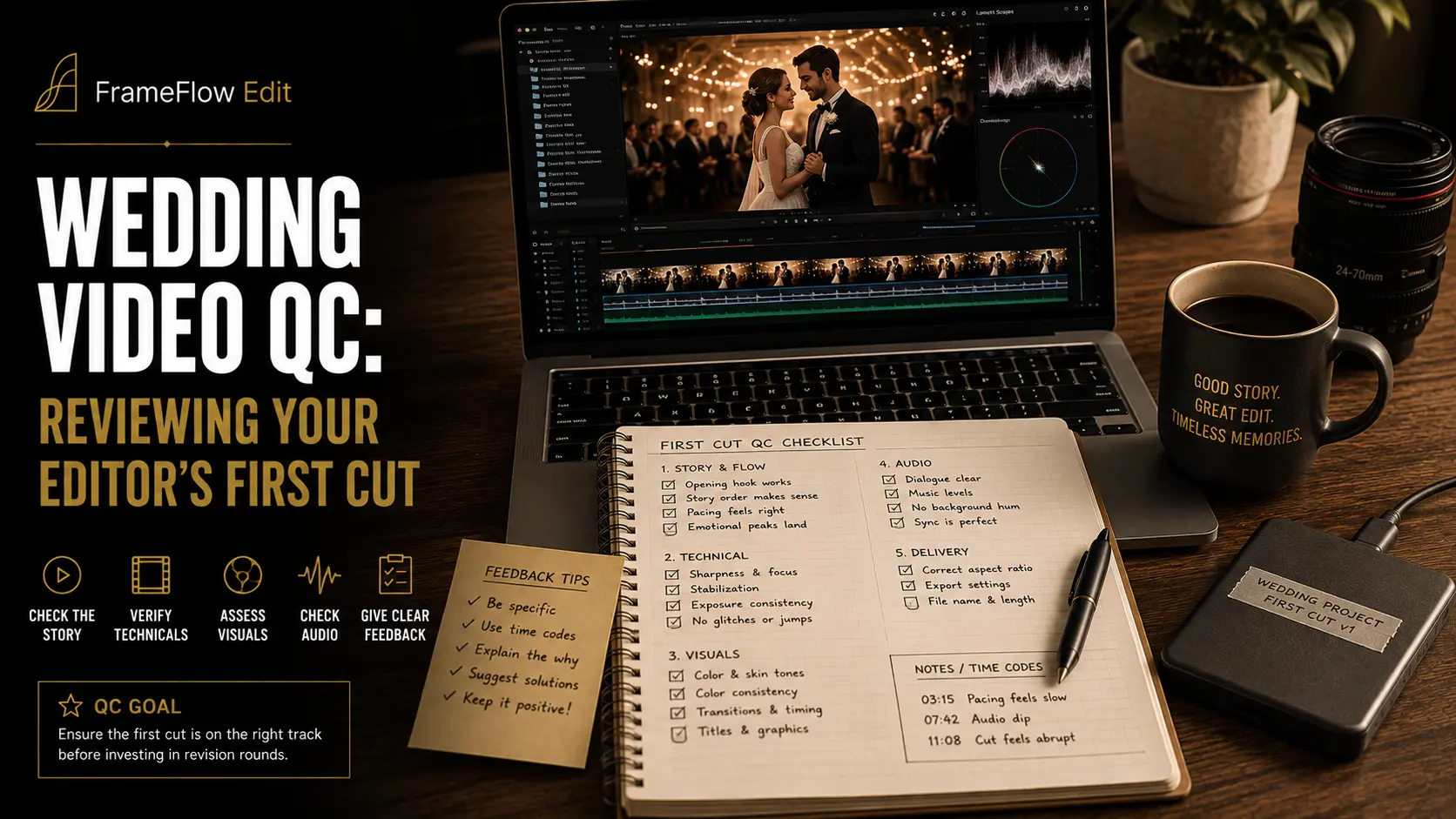
Reviewing an outsourced wedding edit is a different skill from cutting one. Your editor has been inside that timeline for days and has gone face-blind to it. You have distance but no context on the technical decisions that were made along the way. What closes the gap is a repeatable checklist that separates "this doesn't feel right yet" from "this is measurably wrong". Below is a six-pass QC process for the first cut that comes back from your editing partner: what to check, in what order, with what tools, and how to turn everything you find into a single note your editor can clear in one sitting.
Why the First Cut Needs a Technical Pass, Not Just an Opinion
Technical faults and creative notes are two different classes of problem, and mixing them into one message is the single most common reason a revision round takes three days instead of three hours. A creative note is a negotiation — you think the ceremony section runs long, your editor thinks the build needs the space, and the answer lives somewhere between you. A technical fault is not a negotiation. The name is misspelled or it isn't. The audio is out of sync or it isn't. Sorting your notes into those two buckets before you send anything is most of the work.
The cost asymmetry is what makes the technical pass worth doing every single time. A misspelled surname you catch is a thirty-second fix in the editor's title tool. The same misspelling caught by the couple is an apology, a re-export, a re-upload, and a story they tell their friends. The film itself does not change; what changes is whether you looked like the professional who checked or the vendor who forwarded.
There is also a fact your editor structurally cannot know. They were not at the wedding. They have never met the couple, do not know that the woman in the blue dress is the bride's late mother's sister, and cannot tell that the toast that reads as rambling in the transcript is the one everyone in the room remembers. Your review is the only point in the pipeline where day-of knowledge meets the timeline. If you skip it, that knowledge never enters the film.
Finally, QC is a business argument, not just craft hygiene. Outsourced wedding editing is commonly quoted in the several-hundred-dollars-per-film range, and the value you add on top of that spend is judgement: the brief going in and the review coming out. A studio that hands the editor's export straight to the client has outsourced the part of the job it is actually being paid for.
Set Your Acceptance Criteria Before You Press Play
Decide what "done" means before you watch, not while you watch. Reviewing without written criteria turns into a mood reading, and a mood reading produces the kind of feedback — "it needs more energy" — that editors correctly find unactionable. Open three things before the file: the brief you sent, your shot list or day-of notes, and the contract clause that says what you sold. Those three documents are your acceptance criteria.
The review environment matters as much as the criteria. Most technical faults are invisible on a phone in a bright kitchen, and a compressed streaming preview will show you compression artefacts that do not exist in the delivered file. Set up once, properly, and reuse the setup for every wedding.
Write your must-have list as binary items, not adjectives. "First kiss present, unbroken, from camera A" is checkable. "Ceremony feels emotional" is not. A wedding film has perhaps twelve to twenty genuinely non-negotiable moments — the entrance, the vows, the rings, the kiss, the exit, the first dance, the parent dances, the key toasts, the cake, the send-off. If your must-have list is longer than twenty items you are describing the whole film rather than the spine of it.
Pass One: Watch It the Way the Couple Will
The first pass is a single uninterrupted viewing with no notes, no scrubbing, and no pausing. This is the only time you will ever see this film the way the couple will see it, and it is genuinely single-use — once you have watched it analytically you cannot un-know where the seams are. Spend it deliberately.
The only thing you are measuring in pass one is emotional shape. Where did your attention drift? Where did you feel something? Did the film land at the end or trail off? Did you know who the couple were within the first ninety seconds? When it finishes, write three sentences from memory before you touch the timeline. Those three sentences are the most valuable feedback you will produce all week, because they are the only feedback generated by a viewer rather than an inspector.
Resist the urge to jot timecodes during this pass. The moment you start logging you switch from watching to auditing, and the emotional read is gone. If something is so wrong that you cannot ignore it, that is itself the note: a fault that survives a passive viewing is a blocker by definition.
One practical addition: watch it once on your phone too, held at arm's length, at whatever volume you would use on a train. A meaningful share of couples watch their film first on a phone, often before they ever open it on a television, and the phone pass exposes two things the desktop pass hides — dialogue that only works with headphones, and text that only reads at 27 inches.
Pass one produces creative notes only. Everything from here down is technical, and technical findings go in a different section of the note you eventually send.
Pass Two: Sync, Continuity and Pacing
Now go back to the start with your hand on the scrub bar. Sync errors are the most reliably detectable fault in a wedding film because the human perceptual thresholds are well documented and surprisingly tight, and because weddings are full of the exact content that exposes them: close-up faces speaking on camera.
Two published references are worth knowing. ITU-R Recommendation BT.1359 puts the threshold of detectability at roughly +45 ms when audio leads picture and −125 ms when audio lags, with acceptability stretching to around +90 ms and −185 ms. The EBU's Recommendation R37 is stricter for broadcast chains, setting an end-to-end tolerance of audio no more than 40 ms ahead of picture and no more than 60 ms behind. The asymmetry is real and useful: we tolerate audio arriving late far better than audio arriving early, because in the physical world sound always lags light.
The number that should change your behaviour is the last one. At 24 fps a single frame is 41.7 ms, which means one frame of audio pulled early already sits at the documented detection threshold. Do not accept "it's only a frame" as a defence on a speech or a vow.
Check sync at four specific places rather than watching the whole film for it: the vows, the ring exchange, the first toast, and any moment where the edit cuts between two cameras on the same speaking face. Then check for drift specifically — sync that is correct at the start of a long take and wrong at the end usually means an external recorder ran at a slightly different clock rate, which is a mastering problem rather than an offset problem and needs a different fix. How the audio was captured and packaged in the first place decides how fixable this is; see our guide on how to prep wedding audio before you outsource editing.
Continuity is the other half of this pass, and it is where day-of knowledge earns its keep. Rings appearing before the exchange. The groom's jacket buttoned in one shot and open in the reverse. Rain on the windows in a shot cut into a sunny sequence. A guest who left before the speeches appearing in the speech cutaways. Your editor had no way to know the running order; you did.
Pass Three: Audio — Loudness, Dialogue and Music
Do this pass on headphones, then repeat the critical minutes on a phone speaker. Couples do not have a monitoring chain, and a mix that only holds together on good headphones is a mix that fails for the actual audience.
Loudness first, because it is measurable. YouTube applies playback normalisation that is widely measured at roughly −14 LUFS integrated — the figure is observed rather than officially published by Google: content louder than that is turned down at playback, and content quieter than that is generally left alone rather than being raised. The practical consequence is that mixing hot buys you nothing on platform delivery — it just gets attenuated, and you lose the dynamic range you compressed away. A true peak ceiling of −1 dBTP gives lossy transcoding room to breathe without inter-sample clipping.
Intelligibility next. Play the vows and each toast at a volume noticeably lower than your comfortable level. If you lose words, the couple will lose them too, and no amount of music sweetening compensates. The usual culprits are a music bed sitting too high under speech, ducking that releases too fast and pumps, and dialogue that was never de-noised because the noise only becomes obvious once the music drops out.
Then listen specifically to the joins. Music edits in wedding films fail in predictable ways: a beat cut that lands a fraction late, a crossfade over a sustained note that flutters, a track change that arrives before the emotional change it is meant to support. Note the timecode and describe what you hear rather than prescribing a fix — "the transition at 03:41 lands ahead of the picture change" is more useful to an editor than "fix the music there".
Finally, check the quiet places. Wedding audio is often stitched from a lavalier, a recorder at the officiant's lectern, an on-camera mic and a board feed, and the noise floor differs between all four. An abrupt change in room tone at a splice point is one of the most audible faults in the whole film and one of the easiest for an editor to miss when they are working section by section.
Pass Four: Colour, Exposure and Legal Levels
Colour review needs scopes, not eyes. Your eyes adapt within seconds to a cast, which is exactly why a green reception can survive three viewings and then be obvious to the couple's father on the first. Load the file into whichever NLE you own and open the waveform and vectorscope.
The Rec. 709 numbers are fixed and worth memorising. In 8-bit encoding, legal luma runs 16–235 and chroma components run 16–240. In 10-bit the luma range is 64–940. Values outside those ranges are not automatically wrong for web-only delivery, but they do signal that something was clipped or crushed rather than graded, and they will behave unpredictably across players and televisions.
The skin tone line deserves a note. The vectorscope guide commonly drawn at 123° corresponds to the +I axis of the old NTSC encoding, and published phase angles for skin cluster roughly between 116° and 126°. It applies to every skin tone regardless of complexion, because what it tracks is the hue of blood beneath the skin rather than melanin. It is a reference, not a rule — a deliberately warm golden-hour grade will pull the cluster off the line, and that is fine. What is not fine is a cluster that sits off the line in one camera and on it in another, in the same scene.
Check consistency by exporting stills rather than by watching. Pull one frame from each camera at the same moment in the ceremony, put them side by side, and the mismatch that was invisible in motion becomes obvious in a second. If the mismatch traces back to how the cameras were set up rather than how the film was graded, the fix belongs upstream — our guide to briefing your colour grade when you outsource covers what to specify before the edit starts so this pass stays short.
Pass Five: Names, Titles and On-Screen Text
This is the cheapest pass and the one with the worst consequences when skipped. Every piece of text in the film gets checked against a written source, not against memory. Not your memory, and definitely not your editor's transcription of your handwriting.
The source of truth is the booking form, the invoice, or a message from the couple where they typed their own names. Copy and paste rather than retyping. Surnames with silent letters, doubled consonants, apostrophes, hyphens and diacritics are where this fails, and a name is the one detail in the entire film that the couple will absolutely notice and never forget.
Beyond spelling, check five things on every text element. First, safe margins: titles that sit close to the frame edge get cropped by some players and by every vertical reframe. Second, dwell time — read the text aloud slowly twice; if it disappears before you finish, it is too short. Third, font and size consistency across the whole film, which breaks most often when a title was added in a later revision from a different template. Fourth, the date format, which should match the couple's regional convention rather than your editor's. Fifth, the end card: your studio name, your handle and any URL, all currently correct, because studios rebrand and editors reuse old project templates.
If the film carries subtitles or burned-in captions for a vertical cut, they get the same treatment plus one more check — that the caption timing matches the speech rather than the shot boundaries. Auto-generated captions in particular tend to snap to convenient breaks and drift from the actual delivery.
Pass Six: The Delivered File Itself
The last pass ignores the film entirely and inspects the container. Install MediaInfo or an equivalent inspector — it is free, it takes ten seconds, and it catches the class of error that a viewing never will, because a wrongly conformed file plays perfectly and is simply wrong.
Play the final thirty seconds specifically. Export corruption and truncation cluster at the tail, and the tail is the part of the file that both you and your editor are least likely to have watched at full length. Then, if your delivery workflow allows it, verify the transferred copy against the source with a checksum rather than by eye; a file that arrived intact and a file that arrived is not the same claim. What happens after QC — platform, format and timeline — is covered in our guide on how to deliver wedding videos to clients.
Turning Six Passes Into One Revision Note
Send one note, once. Six separate messages across a day produce six separate context switches for your editor, and the last one usually arrives after they have already started on something you asked to change in the third. Consolidate into a single timecoded list, sorted by timecode, with each item classified and prioritised.
Three severity levels are enough: blocker, should fix, and nice to have. Naming severity explicitly protects you from the worst outcome of a vague note, which is an editor spending an afternoon on a nice-to-have while a blocker sits untouched. And keep the technical block separate from the creative block in the same message — the technical items are instructions, the creative items are a conversation, and your editor needs to know which is which before they read the first line.
Frequently Asked Questions
How long should reviewing a first wedding cut take?
Budget roughly the runtime of the film multiplied by three to four. A ten-minute highlight film takes about forty minutes across all six passes: one full pass at real time for the emotional read, then three or four targeted passes that scrub rather than watch, plus five minutes for the file inspection. If it is taking two hours, the problem is usually that you are rewriting the edit in your head rather than reviewing it, which is a sign the brief was too thin rather than that the cut is bad.
Should I let the couple see the first cut before I QC it?
No. The couple's first viewing is a one-time asset and you cannot get it back. Every technical fault they spot before you do costs disproportionate credibility, because it reads as carelessness rather than as an ordinary step in an ordinary process. Review first, send your consolidated note, and let the couple see version two — which is also the version where their feedback is about the story rather than about a green cast in the reception.
What if my editor disagrees with a technical note?
On measurable items, the measurement settles it: scopes, loudness meters and a file inspector are not opinions, and a disagreement usually means one of you is monitoring differently. Check whether their display is set to full range while yours is legal range, or whether they were listening through a normalising player. On creative items, disagreement is a legitimate and useful signal — an editor who pushes back on a structural note has usually seen something in the footage you did not, and the right response is to ask what they saw before overruling it.
Do I need a calibrated monitor to review a wedding edit?
Not to run this checklist. Scopes are display-independent — a waveform reads the same numbers on a bad panel as on a reference monitor, which is precisely why passes four and six lean on measurement rather than on looking. A calibrated display makes subjective grading judgements trustworthy and is worth owning if you grade yourself, but the QC pass described here is designed to work on the screen you already have.
How many technical errors in a first cut is normal?
A handful is ordinary and not a signal of anything. First cuts are meant to be reviewed, and an editor working from your footage without having been at the wedding will always miss context items. What matters is the pattern over several weddings: the same class of error recurring — sync slipping on every speech, names consistently mistyped, levels always hot — points to a process gap rather than a bad day, and process gaps are fixed by changing the brief or the handoff, not by writing longer revision notes.