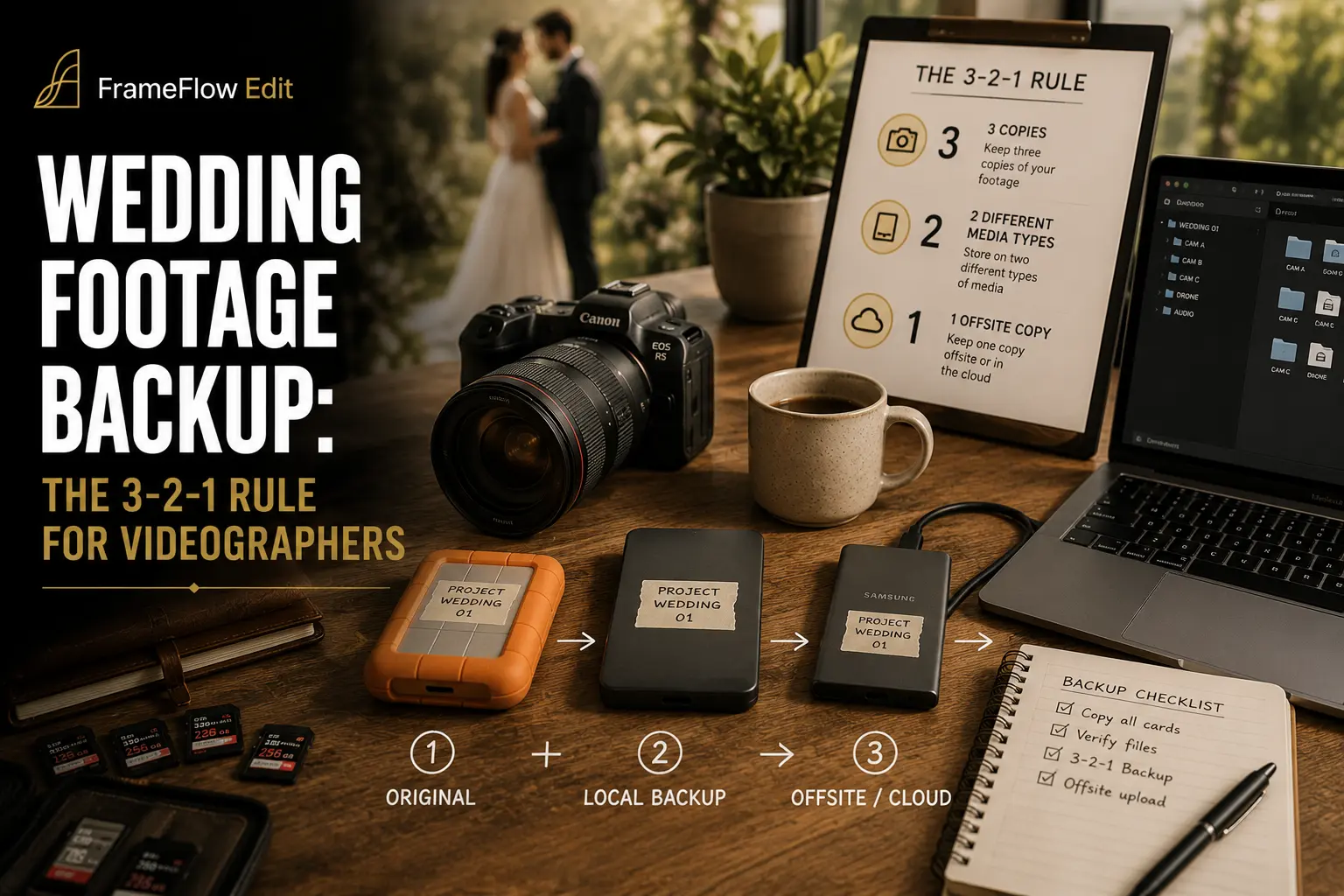
A wedding is the one shoot you can never re-book. If a camera body dies mid-ceremony, you switch to a backup body. If a hard drive dies with the only copy of the ceremony on it, there is no version two — just an apology email, a refund, and a couple who will never get those vows back on film. Before any footage leaves your hands for an outsourced editor, it needs a backup plan that survives drive failure, theft, fire, and simple human error, ideally all at once if it has to. That plan has a name: the 3-2-1 rule. It is not new and it is not exotic, but almost every videographer who has actually lost footage was one skipped step away from being fully protected.
This guide walks through what 3-2-1 means for wedding video specifically, which tools verify a transfer instead of just copying it, what to buy for local and off-site storage at different budget levels, how long to actually keep footage, and how to hand a fully-verified project to your outsourced editor with a paper trail behind it. None of this requires a dedicated IT budget or a background in data management — it requires a checklist you actually follow on the night of every wedding, before you are too tired to think about it.
Most of the horror stories that circulate among wedding videographers — a stolen laptop bag, a drive that "just stopped spinning," a card reformatted a day too soon — are not freak accidents. They are the predictable result of skipping one leg of a three-legged system and assuming the other two would cover for it. The fix is not more expensive gear; it is a small number of steps applied the same way after every single booking, regardless of how tired you are or how quickly the next wedding is coming up.
Why the 3-2-1 Rule Matters More Once You Outsource Editing
When you cut your own weddings, the footage never really leaves your house. It sits on your drive, in your edit bay, under your control from ingest to final export. The moment you send a project to an outsourced editor, copies start moving across the internet, sitting on someone else's system, and passing through at least one more set of hands before the film comes back. That is not a reason to avoid outsourcing — plenty of studios outsource precisely to protect their time during peak season — but it is a reason to make sure your own backup is airtight before the footage goes anywhere near a transfer link.
Outsourced wedding edits typically run $280–520+ per project once you account for a full-service colour, sound, and cut pass on a highlight or feature film. If the only copy of the raw footage is lost somewhere between the ceremony and your editor's inbox, you are not just out that fee — you are out a wedding you cannot reshoot and, in most cases, the client relationship along with it. A solid backup setup costs a fraction of a single outsourced edit and pays for itself the first time a drive fails, which for any working studio is a matter of when, not if.
The 3-2-1 rule also solves a second, less obvious problem: it hands your editor a clean, verifiable source file instead of a question mark. An editor working from a partially corrupted or incompletely transferred project wastes billable hours troubleshooting instead of cutting, and any file problems discovered mid-edit push your delivery date back and put your turnaround-time promise to the client at risk.
The 3-2-1 Rule, Broken Down for Wedding Video
The rule is easy to state and surprisingly easy to get wrong in practice: keep 3 copies of every file, on 2 different types of storage media, with 1 copy kept off-site. "Copies" means the original plus two backups, not three folders on the same physical drive. "Different media types" means, for example, a cloud service plus a physical drive — not two USB sticks bought from the same batch on the same day, which can share the same underlying manufacturing defect. "Off-site" means a location that would survive a fire, flood, or theft at your main workspace; a cloud provider or a drive kept at a second physical address both satisfy that requirement.
Notice what is missing from that table: RAID and "the cloud," used loosely, are not by themselves a backup. They are storage. A backup only exists once a second, independent copy has been verified as identical to the first and lives somewhere a single disaster cannot reach both at once. That distinction — storage versus backup — is where most of the footage-loss stories that surface in videographer forums and gear-repair blogs actually started.
Ingest and Verify: Checksum Tools Before Anything Else
The highest-risk moment in the entire chain is the very first copy, straight off the camera card. A file that "finished copying" in Finder or Explorer is not the same as a file that copied correctly. A dropped sector, a card pulled a second too early, or a flaky card reader can leave you with a file that opens and even plays back partially, while silently missing frames or ending early. This is exactly what checksum-verified offload software exists to catch, and it is the single highest-leverage habit in this entire workflow.
Tools such as ShotPut Pro and OffShoot (formerly known as Hedge) compute a hash of every file before and after the copy and confirm the two match, using methods like MD5, CRC32, or byte-for-byte comparison. If the hashes differ, the software flags the failed file immediately instead of leaving you to discover the problem three weeks later, mid-edit, with the wedding long over and no way to reshoot the missing footage.
For a solo wedding videographer, the exact tool matters less than the discipline behind it: never trust a plain drag-and-drop copy for camera-original footage. Run a verified offload the moment you get back from the venue, before cards get formatted or reused for the next booking, and keep the transfer report filed with the project. If a client or an editor ever raises a question about a specific clip months later, that log is the fastest way to confirm the file was intact at ingest.
Choosing Your Local Backup: External SSD, HDD, or NAS/RAID
Your local backup is the copy you will actually work from day-to-day, so speed and convenience matter almost as much as raw capacity. The right choice scales with how many weddings you shoot per season, how many people touch the footage, and how much you are willing to maintain.
A four-bay NAS running Synology Hybrid RAID stores more than 50TB raw out of the box and can scale past 120TB raw across nine drives once a DX517 expansion unit is attached, which comfortably covers a studio doing dozens of weddings a season with room to spare for full-resolution masters. For a shooter doing a handful of weddings a month, a pair of external SSDs and a disciplined offload routine will outperform an expensive NAS you do not have time to maintain properly. Buy storage for the volume you are actually shooting this season, not for the studio you hope to be running in three years — you can always add a second local drive once bookings justify it.
Cloud and Off-Site: Picking the Right Cold Storage
The off-site leg of 3-2-1 is where most solo videographers cut corners, precisely because it is the copy you never touch day-to-day and therefore the easiest one to skip under deadline pressure. It is also the exact copy that saves the business if your studio floods, a laptop bag is stolen out of the car, or a fire takes out your entire local setup at once.
For most wedding videographers, a pay-as-you-grow cold storage tier like Backblaze B2 hits the right balance: cheap enough to keep every wedding for years without a painful monthly bill, fast enough to pull a file back if a client requests a reshare, and durable without you owning or maintaining any hardware. LTO tape only starts making clear financial sense once a studio is archiving enough total data, over a long enough time horizon, that the upfront cost of a tape drive is offset by the very low ongoing cost per terabyte — a calculation that mostly applies once you are well past the solo-shooter stage and managing several seasons of accumulated archive at once.
Archive vs Active Storage: What to Keep Long-Term
Not every byte you shoot needs to live forever, at full resolution, in three separate places. It helps to separate "active" storage — the current wedding, mid-edit, accessible to your outsourced editor — from "archive" storage, which exists purely as insurance after the project has already been delivered.
There is no single industry-wide rule for exactly how long to keep full raw footage after delivery; practice genuinely varies by studio. Some videographers clear raw footage a few months after delivery once the client has signed off, while others hold it for a year or more and even sell extended raw-footage retention as a paid add-on. What matters far more than landing on one specific number is writing your own policy down, putting a version of it in your client contract or terms, and applying it consistently so no wedding's footage sits in limbo indefinitely, taking up paid storage for a project that closed out a year ago.
A simple naming and folder convention makes this tiering much easier to enforce later, when you are not thinking about any single wedding in particular. Tag each project folder with the wedding date, client surname, and a status marker (active, delivered, archived) so a quick scan of your NAS or cloud bucket tells you what can safely move to cheaper storage without opening a single file. Studios that skip this step tend to keep everything on expensive, fast storage indefinitely simply because nobody wants to be the one who deletes the wrong folder — which quietly erodes the cost advantage of having a tiered system at all.
Revisit the tiering at fixed points rather than constantly: right after final delivery, and again at whatever interval your retention policy specifies. Treating it as a scheduled task rather than an ad hoc decision keeps active storage from silently filling up with footage from weddings that closed out months ago.
Building a Backup Checklist for Every Wedding
A backup strategy only works if it survives being run at midnight after a twelve-hour wedding day, when you are exhausted and the last thing you want to do is babysit a file transfer. Turning the 3-2-1 rule into a fixed, written checklist removes the judgment calls exactly when you are least equipped to make good ones.
The rule that matters most on that list is step 4: camera cards do not get reformatted until all three copies exist and have been confirmed. It costs a studio nothing but a few extra memory cards for the season, and it is the single easiest, cheapest failure to eliminate entirely. Most footage-loss stories involve a card that was reformatted a day too early, under the assumption that the transfer had already been backed up somewhere else.
Common Backup Failures and How to Avoid Them
Most footage-loss stories share a small number of root causes, and nearly all of them trace back to skipping one leg of the 3-2-1 rule rather than a genuinely freak, unavoidable accident.
Every one of these failures is avoidable with a written checklist rather than memory or good intentions, which is exactly why the step-by-step process in the previous section matters more than any single piece of software you buy.
From Verified Backup to Editor Handoff
The whole point of a 3-2-1 backup, from a business standpoint, is that it lets you hand footage to an outsourced editor with confidence instead of crossed fingers. A verified, well-organized project transfers faster, gets misread less often by the editor's own software, and starts the edit clock sooner instead of losing the first day to file troubleshooting.
If you shoot with two or three cameras, this backup discipline needs to happen for every card, from every body, before you move on to syncing multicam footage ahead of the editor handoff. Syncing angles together is far easier when you are working from verified, complete originals rather than discovering a dropped card mid-sync, long after the wedding day is over and there is no way to reshoot a missing angle. Building the verified-offload habit before tackling multicam sync also means your editor receives a project where every angle is already accounted for, instead of a handoff note explaining which camera's footage might be missing.
Before sending footage out, confirm you can check every item on this short list: all cards offloaded and checksum-verified, at least one local backup and one off-site backup confirmed complete, files organized by camera and card rather than dumped into one folder, and a transfer log kept with the project in case a question comes up later. This overlaps closely with a full footage hand-off checklist for editors, but the backup piece specifically is what protects you if anything goes wrong in transit — a failed upload, a corrupted drive lost in the mail, or simply a busy season where footage from several weddings is moving at once.
That last point matters more than it sounds. A disciplined backup system is also what keeps footage from getting lost track of during a busy wedding season backlog, when a dozen projects can be mid-transfer or mid-edit simultaneously. Clear, logged storage locations and verified copies mean nothing ends up stuck on a single laptop you cannot risk touching until the backlog clears, and nothing gets sent to an editor twice because you lost track of what was already backed up.
How much storage do I actually need per wedding?
It depends heavily on camera count, resolution, and how much you shoot beyond the ceremony and reception, but a full wedding day across two or three cameras at modern 4K bitrates commonly runs into the hundreds of gigabytes once you include B-roll, drone footage, and audio. Budget storage per season based on your actual booking count rather than a single generic figure, and re-check that estimate whenever you change cameras, add a shooter, or start covering more of the day.
Is RAID a backup?
No. RAID protects against one drive inside an array failing, but the array itself is still a single physical unit that can be stolen, damaged, or wiped by user error. A genuine backup requires a second, independent copy on different media, ideally kept off-site, in addition to any RAID array you use for day-to-day speed and drive-level redundancy.
How long should I keep raw wedding footage?
There is no single industry standard — practices range from a few months to several years, and some studios sell extended raw-footage retention as a paid add-on. What matters is deciding on a retention window, writing it into your client contract or terms, and applying it consistently so no wedding's footage sits in limbo indefinitely.
Can I skip the off-site copy if I already use cloud storage?
Only if that cloud copy genuinely counts as your one off-site leg and you still maintain two other copies on different media. A common mistake is calling a synced folder on a laptop "cloud backup" when it is really just a second local copy of the same drive. True off-site storage means a copy that would survive a disaster at your primary workspace, not a sync client running on the same machine as your other backups.
What's the cheapest reliable 3-2-1 setup for a solo shooter?
A checksum-verified offload to one external SSD as your working copy, a second external drive kept in a different location as your local backup, and a pay-as-you-go cold cloud tier like Backblaze B2 for the off-site leg covers all three legs of the rule without requiring a NAS or tape hardware. It scales cleanly as booking volume grows, since you can add drives or storage tiers incrementally rather than committing to studio-scale hardware upfront.
Do I need LTO tape for wedding video archiving?
Not at solo or small-studio volume. LTO tape becomes cost-effective mainly once a studio is archiving a large, growing volume of footage over a long time horizon, where the low per-terabyte media cost offsets the upfront cost of a tape drive. Most wedding videographers are better served by cloud cold storage until their total archive is large enough that the tape math clearly wins out over ongoing cloud fees.